The Optimal Tech Stack, Architecture, and DevOps Setup for Building with Claude Code
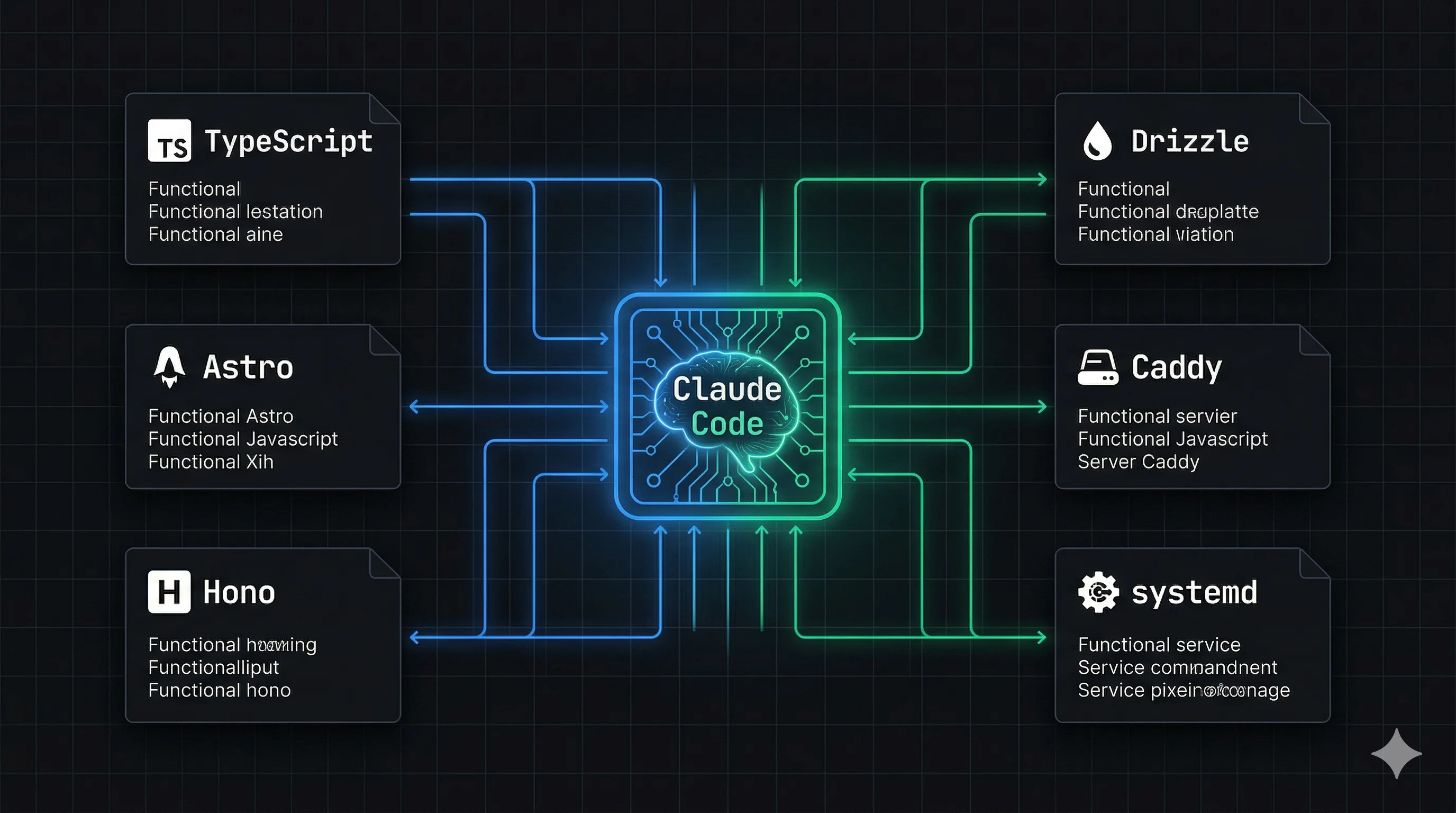
A first-principles analysis of how to structure your codebase, not for humans, but for an AI agent.
Most advice about AI coding tools tells you the same thing: use the most popular framework. More Stack Overflow answers, better AI output.
That intuition is roughly right. It is also incomplete.
When you are building with Claude Code specifically, the agent is not just generating code from memory. It is navigating your codebase, reading files, running tools, and working inside a fixed context window.
Your codebase structure affects the quality of every edit it makes.
So this post is not about best practices. It is about optimizing for how Claude Code actually works, from first principles and from what the leaked Claude Code source confirmed about its internal mechanics.
Tl,dr:
- Claude Code navigates your codebase via grep and surgical string replacement. It does not read everything.
- Fewer files means less token overhead, which means more context left for actual logic.
- TypeScript strict mode. Astro + Vue + Tailwind on the frontend. Hono + Bun + Drizzle on the backend. One file per feature slice. systemd + Caddy on a plain VPS.
- It all falls out of two principles: full context in one load, and types as prediction constraints.
How does Claude Code actually work?
Before you decide anything about architecture, you need to know what Claude Code is doing under the hood.
It is not a chatbot that reads your whole codebase.
It is an agent with a set of tools: file read, bash, grep, string replacement, LSP. It uses them to navigate your project and make surgical edits. Every tool call costs tokens. Every file it reads takes up space in a context window.
And the part that matters most: the quality of its output DEGRADES as your context window fills up.
The leaked source confirmed a few specific mechanics. Each one should change how you structure your code.
It uses str_replace, not full rewrites. The primary edit tool finds a unique string in your file and replaces it.
Which means it fails on ambiguous patterns. If the same code block appears twice in a file, the edit becomes unpredictable. File size matters less than pattern uniqueness within a file.
It greps, it does not read. Rather than loading every one of your files in full, Claude Code uses a dedicated Grep tool to locate the relevant code before reading it. A well-structured, clearly named codebase is easier to grep than a clever, abstract one.
It has a three-layer memory system. A lightweight MEMORY.md index of pointers, on-demand topic files, and grepped identifiers from transcripts. Your raw files are never fully re-read into context, they get fetched on demand.
So co-located context beats scattered context. Every time.
The context window is around 180k usable tokens. The system prompt, tool definitions and memory files eat roughly 20k of that before you write a single line of code. At approximately 4 characters per token, your practical working budget for code is around 140,000 to 160,000 characters per session.
That is the whole budget.
Autocompaction triggers at a ~13k token buffer. When your context fills, Claude Code compresses conversation history and re-injects recently accessed files at 5,000 tokens each. Files it has not touched recently are dropped.
So co-locating your files is a performance concern. Not an aesthetic one.
First principle: why does information density matter?
The single most important optimization you can make is maximizing the ratio of relevant logic to total tokens consumed.
Every import statement, config file header, re-exported type and boilerplate comment is a token that contributes no logic. In a multi-file architecture you pay that cost again and again.
In a single file you pay it once.
Which is why the conventional "one file per component" rule hurts you here. That rule exists entirely for human navigation.
Claude Code does not navigate a directory tree the way you do. It pays a tool call cost to open each file.
Fewer files, fewer tool calls, more of your context window occupied by actual logic.
So what is the stack?
TypeScript: why strict mode, no exceptions?
Strict mode is not just good practice here. It mechanically improves Claude's output quality.
Why? Because when Claude generates the next token in a sequence, your types constrain the probability space of what it can generate. A typed interface makes hallucinating a wrong method name significantly less likely, because the correct token has higher probability given the surrounding context.
More types, better output. Not because of convention. That is just how prediction works.
Practical rules:
strict: truein tsconfig- Explicit return types on all functions
- No
any, ever - Zod schemas for all runtime validation, co-located with the types they validate
Frontend: why Astro + Vue + Tailwind?
Astro handles your static/dynamic split cleanly. Static marketing pages are generated at build time. Interactive app components mount as Vue islands with client:only="vue".
One project, one build command, one output folder. Claude never has to reason about two separate frontend deployments.
Vue SFCs are naturally Claude-friendly, because each of your .vue files is already a cohesion unit. Template, script and style are co-located.
That matches how Claude Code loads context. One file load gives Claude everything it needs to understand and edit that component.
Tailwind is mechanically optimal for AI generation. Every class is atomic, explicit, and has appeared millions of times in training data.
Claude can predict flex items-center gap-4 with near certainty. It cannot do the same for your custom CSS class names. Eliminating CSS files removes an entire category of cross-file context lookups.
Never write a CSS file. Not even one.
Backend: why Hono + Bun + Drizzle + PostgreSQL?
Hono is TypeScript-first in a way that Express is not. Types flow through your request/response cycle explicitly:
// Express — Claude infers types at runtime
app.post('/api/users', async (req: Request, res: Response) => {

// Hono — types are explicit at the route definition
app.post('/api/users', zValidator('json', createUserSchema), async (c) => {
  const body = c.req.valid('json') // fully typed, no inference needed
This is not a style preference.
Explicit typing reduces the probability of Claude generating incorrect property accesses, wrong response shapes, and missed validation checks.
Bun as the runtime gives you native TypeScript execution (no build step), faster startup, and built-in APIs. It is stable for long-running HTTP servers.
Now you will say: didn't the leak report Bun memory leaks? It did. Those reports were specific to Bun running as a long-running CLI tool managing concurrent streams and subagents. A very different workload from an HTTP server.
Drizzle with a single schema.ts file is the most important database decision you can make for Claude Code.
When Claude reads one file and understands your entire data model, every table, every column, every relationship, it can generate correct queries, migrations and service logic without any additional context.
Scattered migrations, multiple schema files, runtime-inferred schemas: all of them require Claude to do additional work before it can reason about your data.
PostgreSQL, because it is the most thoroughly represented database in training data. Claude's Postgres knowledge is deep and reliable.
How should you lay out the codebase?
Which phase are you in?
The optimal architecture depends on which phase of development you are in. These are genuinely different, and applying the wrong one is costly.
Phase 1: MVP / one-shot generation
When you are building a new app from a spec, optimize for generation, not navigation. You want working code as fast as possible.
The optimal structure is one file. Or as few files as you can manage, grouped internally by feature with explicit section markers.
// ============================================================
// AUTH
// ============================================================

// ============================================================
// PAYMENTS
// ============================================================

// ============================================================
// DASHBOARD
// ============================================================
These markers are not just for human readability. Heading patterns like this appear frequently in training data as organizational markers, and they increase the probability that Claude correctly associates subsequent tokens with the right domain.
They are a prediction constraint.
The ceiling for this approach is around the Sonnet 4.6 output token limit of 64,000 tokens, which is enough for most non-trivial apps. For anything larger, use multiple files, but still group by feature rather than by technical layer.
Phase 2: iterative development
Once an MVP is validated and you are building features incrementally, switch to Vertical Slice Architecture.
The critical distinction from conventional VSA is that each slice is ONE FILE, not one directory. Everything your feature needs lives in a single file. Route, service logic, Zod validation, types.
src/features/
  auth.ts          ← Hono route + service logic + Zod schemas + types
  payments.ts      ← everything payments in one file
  dashboard.ts     ← everything dashboard in one file
Your Vue components follow the same principle, but naturally. Each .vue SFC is already a single-file cohesion unit containing template, script and style together.
Why does one file per slice beat one directory per slice? The same reason it beats layered architecture: one task touches one feature, one feature loads one file.
When Claude edits your auth logic, it reads auth.ts and has everything. The route definition, the validation schema, the service function, the types. A single context load.
With a directory-per-slice approach, Claude must open route.ts, grep for the service in service.ts, check the schema in schema.ts. Three tool calls before it has made a single edit.
The key constraint is pattern uniqueness, not file length. The str_replace tool fails when the same code pattern appears twice in the same file, not when files are long.
A 500-line file with clean, explicitly named, non-repeating code is better for Claude Code than five 100-line files with similar structure.
So split your slice into multiple files only when patterns within it start repeating. Not before.
Then add a single src/features/AI-CONTEXT.md describing the conventions for all your slices: what each file is responsible for, naming rules, how cross-slice dependencies are handled. Claude Code re-reads CLAUDE.md on every query iteration, and this file gives it the same benefit scoped to the features layer, without requiring a directory per feature.
What goes in the shared packages?
In a monorepo, the shared packages are the highest-leverage investment you can make for Claude Code quality:
packages/
  db/          # Drizzle schema — single source of truth for all DB types
  api-types/   # Zod schemas + response types shared between frontend and backend
  config/      # App constants and product config
When Claude reads packages/api-types/index.ts, it knows what every API endpoint accepts and returns. When it reads packages/db/schema.ts, it knows your entire data model.
Those two files give Claude more accurate context than any amount of inline documentation.
Never duplicate types between frontend and backend. Any type that exists in two places is a type that will eventually diverge, and a diverged type is a context that MISLEADS Claude.
What about DevOps?
Does the same principle apply to infrastructure?
It does. Claude Code manages your server through bash commands and file edits, so the optimal infrastructure is one where the entire running state of your system can be understood by reading a small number of declarative files.
Process management: why systemd over PM2?
PM2 stores your running state in memory. To understand what is running, Claude must execute pm2 list and parse table output. To understand how a service is configured, it must read a separate ecosystem config file.
The source of truth is split between runtime state and config files.
systemd is declarative. Every one of your services is a .service file, and the file IS the source of truth:
[Unit]
Description=myapp backend
After=network.target

[Service]
Type=simple
User=deploy
WorkingDirectory=/home/deploy/myapp
EnvironmentFile=/home/deploy/myapp/.env
ExecStart=/usr/bin/bun run src/index.ts
Restart=always

[Install]
WantedBy=multi-user.target
Claude can read this file once and know exactly how your process runs. It can edit it directly.
systemctl status myapp gives structured, readable output. systemctl list-units --type=service gives Claude a complete picture of everything running on the server.
That is the declarative infrastructure principle applied to process management.
Reverse proxy: why Caddy?
Caddy over Nginx for one reason: your Caddyfile is readable in a single context load.
Your Nginx configuration sprawls across sites-available/, sites-enabled/, conf.d/, and include directives. Caddy's entire reverse proxy config for multiple projects fits in one file:
myapp.com {
  handle /api/* {
    reverse_proxy localhost:3000
  }
  handle {
    root * /var/www/myapp
    file_server
  }
}
TLS is automatic. No certbot, no renewal cron jobs, no certificate files to manage.
Hosting: why a VPS over a PaaS?
A single Hetzner VPS running 10 of your projects costs roughly the same per month as one project on a managed PaaS.
More importantly for Claude Code, a VPS is a stable, predictable environment. Claude's bash tool has a reliable surface to work with. There are no platform-specific CLI tools to install, no API keys for infrastructure management, and no vendor-specific configuration formats to learn.
The total infrastructure state of your multi-project VPS, from Claude's perspective, is:
/etc/systemd/system/*.service, all running processes/etc/caddy/Caddyfile, all routing~/shared-infra/SERVER.md, conventions and project list- Individual project
.envfiles
Four categories of files. And Claude understands your entire server.
What is the SERVER.md for?
This is the most under-appreciated file in your entire setup.
Claude Code has no persistent memory of your server across sessions. Without a single reference file, it must infer conventions each time. How projects are named, how services are structured, where env files live, how to deploy a new project.
A ~/shared-infra/SERVER.md solves this:
# Server Overview

## Projects
| Project | Domain | Port | Systemd Service |
|---|---|---|---|
| myapp | myapp.com | 3000 | myapp.service |
| otherapp | otherapp.com | 3001 | otherapp.service |

## Conventions
- Projects live in ~/projects/{name}
- Systemd services: /etc/systemd/system/{name}.service
- Static files: /var/www/{name}/
- Env files: ~/projects/{name}/.env

## Adding a New Project
1. Clone repo to ~/projects/{name}
2. Copy .env.example to .env, fill values
3. Create systemd service file
4. Add Caddy block for domain
5. systemctl enable --now {name}
Claude reads this once per session and has your entire server mental model loaded.
CI/CD: how much do you need?
A single .github/workflows/deploy.yml that Claude can read and edit entirely in one context load:
typecheck → build frontend → SSH into VPS → pull → install → restart service
Nothing more for an MVP.
The feedback comes back as GitHub Actions log stdout, so Claude can read a failed workflow output and self-correct without any additional context.
What is the whole picture?
Every decision in this stack follows from the same two principles.
Principle 1: full context in one load. The best edit is the one where Claude has everything it needs in a single context load, with no grepping, no file navigation, no inference. That drives the monorepo with shared packages, feature-grouped files at MVP phase, Caddy over Nginx, systemd over PM2, and the SERVER.md.
Principle 2: types as prediction constraints. The more explicitly typed your code, the smaller the probability space of what Claude can generate next, and the less likely it is to hallucinate incorrect method names, wrong response shapes, or missing validation. That drives TypeScript strict mode everywhere, Zod for all validation, Drizzle schema as single source of truth, and Hono over Express.
Everything else follows.
Reference: the stack in one table
| Concern | Choice | Reason |
|---|---|---|
| Language | TypeScript strict | Types constrain prediction |
| Frontend framework | Astro 5 | Static/dynamic split, one build |
| UI framework | Vue 3 client:only | SFC = natural cohesion unit |
| Styling | Tailwind 4 | Atomic, no CSS files |
| Data fetching | TanStack Query | Explicit state, well-represented |
| Backend framework | Hono | TypeScript-first, typed routes |
| Runtime | Bun | Native TS, fast |
| Validation | Zod 4 | Runtime types, co-located |
| ORM | Drizzle | Single schema file |
| Database | PostgreSQL | Best training data coverage |
| Architecture (MVP) | Single file, grouped | Full context, one generation pass |
| Architecture (iterative) | Vertical slices | One task = one file = one load |
| Process manager | systemd | Declarative, file-based |
| Reverse proxy | Caddy | Single readable config file |
| Hosting | Hetzner VPS | Predictable, cheap, CLI-first |
| CI/CD | GitHub Actions + SSH | One workflow file, readable stdout |
Frequently Asked Questions
Why Astro + Vue instead of Next.js + React?
Next.js and React are not wrong choices. They have enormous training data coverage and Claude handles them well.
The issue is architectural. Next.js blends server and client code in ways that create ambiguity for Claude. Server Components, Client Components, server actions and API routes all coexist in the same files with implicit boundaries, so Claude has to infer which execution context it is in before it can generate correct code.
Astro's static-only mode eliminates that ambiguity entirely. Static pages are static. Interactive components are explicitly marked client:only="vue". There is no blurred boundary.
Vue SFCs add another layer of clarity: template, script and style are co-located in one file, which is the single-file cohesion principle applied at the component level.
Already invested in Next.js and React? The architecture principles in this post still apply. Use strict TypeScript, co-locate related code, use Tailwind, keep shared types in one place.
The framework matters less than the structure.
Does this architecture work with React or other frontend frameworks?
Yes. The principles are framework-agnostic.
What matters is that your components are self-contained cohesion units (React .tsx files work fine for this), that you are not writing CSS files, and that you are not splitting code across layers for a single feature.
The specific recommendation of Vue + Astro comes from Vue SFCs being naturally single-file and from Astro's clean static/dynamic boundary. But a React developer can apply the same principles: one file per feature slice, Tailwind only, strict TypeScript, shared types package.
Should I use a single file for the entire backend even for a large app?
Only at the MVP phase, and only until you hit the output token ceiling. Sonnet 4.6 has a 64k output token limit, which is enough for most initial builds.
Once you are iterating on a validated product, switch to one file per feature slice: auth.ts, payments.ts, dashboard.ts. Each file contains its Hono route, service logic, Zod schemas, and types.
The goal is not to minimize file count forever. It is to make sure any single task Claude performs touches exactly one file. That is when context is most efficient.
What if I want to use Prisma instead of Drizzle?
Prisma and Drizzle serve the same purpose here: a single schema file that gives Claude your complete data model in one read. Prisma's schema.prisma is equally good for this.
The choice between them is largely a preference question. Drizzle has the slight edge because the schema is TypeScript, so types flow naturally into the rest of your codebase without a generation step.
But if you know Prisma well, the architectural benefit is identical.
Why a VPS over Railway, Fly.io, or Vercel?
For Claude Code specifically, the VPS wins because your entire infrastructure state lives in files Claude can read and edit directly. systemd service files, a Caddyfile, a SERVER.md.
On managed platforms, infrastructure state is split between a CLI, a dashboard, and platform-specific configuration formats. Claude cannot read a Railway dashboard. It can read /etc/systemd/system/myapp.service.
The cost argument is also real. A 4GB Hetzner VPS runs 10 of your projects for roughly the same monthly cost as one project on a managed PaaS.
That said, if you are deploying a single project and want zero server management, Railway or Fly.io are reasonable. The architecture and code structure recommendations in this post apply regardless of where you deploy.
Does this work for mobile apps too?
The backend and shared package principles apply directly. Hono as the API, Drizzle schema as the single source of truth, @repo/api-types shared between mobile and backend.
For the mobile layer, React Native and Expo are well-covered in training data and Claude handles them reliably.
The one-file-per-slice principle applies to React Native screens the same way it applies to Vue components. Each screen is a cohesion unit that should contain its own data fetching, local state and layout, without reaching into shared layer files for routine operations.
Happy shipping!
This analysis is based on first-principles reasoning about how LLMs operate, confirmed where possible against the Claude Code source code that was inadvertently leaked on March 31, 2026.